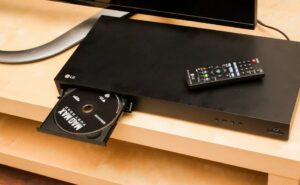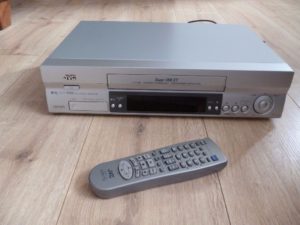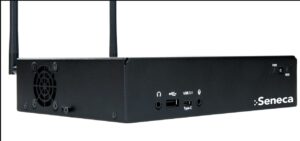
Satellite receivers were once used only by subscribers of cable TV. Today, however, thanks to the transition to digital terrestrial, they have become useful for any type of user who, in addition to the standard free offer, wishes to pay a monthly installment to see higher quality content.
There are two types of satellite receivers on the market: those called IRD (an acronym for Integrated receiver decoder) and Free to Air.
Here we had selected the best fta satellite receivers for you that are present below.


- 【DVB-S/S2/S2X Satellite Finder】GTMEDIA V8 Finder2 satellite signal meter supports DVB-S/S2/S2X satellite signal detection...
- 【3.5-Inch LCD Screen & Setup Guide】View satellite lists, signal intensity and signal quality on the 3.5-inch LCD screen. To...
- 【Rechargeable Battery & Built-In Speaker】The V8 Finder2 digital satellite finder combines a built-in rechargeable battery...
- 【Satellite Finder & H.264 Decoder】Combining a satellite signal meter and DVB-S/S2/S2X receiver, the V8 Finder2 supports H...
- 【Setup & Dish Alignment】Connect the satellite LNB cable to LNB IN, then open Menu > Installation. Select the target satellite...
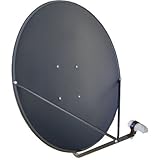
- GEOSATpro 36/90cm FTA Satellite Dish and .5dB NR SL1PLL Single Standard LNBF

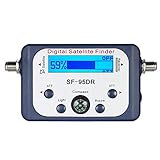
- High Quality Component: and professional design; Designed with a compass for easier and quicker tuning. Powered by the receiver...
- Less Signal Loss:Built-in amplifier compensates insertion loss.We offer one year warranty and 24 hours customers survice~
- Useful Tool|:Connect to your LNB and receiver to the satellite finder to track the clearest setting for the satellite you wish to...
- Easy To Use:With electronic buzzer, easy operation, audio tone and LCD display with backlight to show the satellite signal...
- No External Power or batteries required: power supplied from your satellite receiver.

- Quality: Double Edge For Better Durability
- Material: Steel .7 mm Thickness. (Most Chinese Dishes are .5 mm)
- Support: Solid Tube And Supporting Feet For Better Stability.
- Make: Made In Taiwan
- Front Measurements: 34.5" X 36.25" Edge to Edge (36.23 x 38.8 counting Edges)

- Suitable for all freelance TV and radio stations
- 2K DMIPS Processor, Smart Card Reader (Xcrypt), Opera Browser
- HbbTV, EPG (electronic program guide) support, Ethernet connection
- External power supply: Input: 110 – 240 V AC / 50 – 60 Hz / 1.0 A; Output: 12 V = / 1 A
- Scope of delivery: receiver, remote control, power supply, instruction manual (English language not guaranteed), external infrared...

- High Performance: Features a low noise figure of 0.1 dB for superior signal reception.
- Wide Frequency Range: Capable of receiving signals from 10.7 GHz to 12.75 GHz, suitable for various FTA Universal satellite TV...
- Durable Design: Robust construction ensures reliability and longevity in outdoor conditions, YIYIMIMO single LNB provide rubber...
- Easy Installation: Designed for straightforward setup with standard satellite dishes and compatible with satellite receivers.
- Versatile Compatibility: Works with HD 3D 4K and standard definition satellite signals, making it ideal for diverse viewing needs.
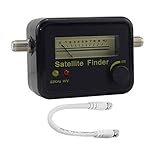
- Digital Satellite Signal Tracker Dish FTA HD Monitor
- Light weight and pocket size, Power supplied by satellite receiver, Satellite Dish with LNB, Extremely sensitive meter that...
- Light weight and pocket size, Power supplied by satellite receiver, Satellite Dish with LNB, Extremely sensitive meter that...
- Power Supply: DC13~18V; Operating range: LNB Gain= 52~60dB
- GeosatPro 90cm satellite dish (no LNBF)
- High quality fta satellite dish

- Compatible with all Free To Air FTA Receivers
- DVB-S, DVB-S2, DVB-S2X, H.264, H.265, HEVC
- A STANDARD DUAL Output LNBF is required for use with this 2x4 Multi-Switch.
- Only 1 receiver can power the LNB. Turn LNB Power Off on all other receivers for switch to work.
- Power down and unplug your receiver before installing any switch.
How to Choose Fta Satellite Receiver?
How Many and Which Programs
On the market, you can find satellite receivers compatible with two different technologies: analog and digital, which are therefore able to decode the transmissions of one or the other type.
Let’s say that, at present, the choice is practically obligatory since digital has become the standard, because it allows you to receive a considerable number of channels, often in high definition (and soon the first 4K broadcasts should arrive too) or in three dimensions.
The models with which you are probably more familiar are called IRDs and allow the reception of paid programs, such as the decoders in the Sky offer.
They are equipped with a space in which to place a smart card on which the subscription data is recorded and which, once inserted, “unlocks” the vision of encrypted transmissions.
The alternative is represented by the Free to Air receivers, which, as you can guess from the name, allow you to view only the free channels, for which no type of smart card is needed. IRD decoders are usually enabled to receive Free to Air channels as well, while the rule does not apply otherwise.
Hd Broadcasts
As mentioned, the standard of television broadcasts is represented by high definition, and, considering that the vast majority of the televisions sold are capable of displaying content with this resolution.
It seems to us an obligation to rank first in the ranking of discriminants to be taken into account. Before choosing a satellite receiver, opt for a model compatible with HD.
Technology tends to “age” rather quickly, so carefully evaluate the characteristics of the receiver you want to buy, because it is straightforward to find yourself with an obsolete product already a few months after its purchase.
Our advice, for example, is to discard models without HDMI output, which serves to convey high definition transmissions on the TV, as well as those that do not have an optical audio output, which allows you to connect them to an audio system and ensure excellent sound quality.
For Those Who Are Always in A Hurry
By comparing the best models of satellite receivers, you will notice that there are also considerable price differences. The reason is related to the integration of any additional devices.
There are, for example, decoders that house a receiver for viewing digital terrestrial channels, and that proves to be an intelligent choice if your TV is not particularly recent. Therefore, it is devoid of it.
But the most exciting devices are those that integrate a hard disk on which to record what is being transmitted, so that you can watch it later, perhaps also using the programming timer options. It becomes so simple not to miss even one episode of your favorite series or the kick-off of the game.
The cost of these decoders is directly proportional to the size of the hard disk they integrate: the more significant the capacity, the higher the selling price.
Complete with Tv Sat Card
The Tivumax Pro II satellite receiver is also well equipped. In addition to the remote control and the HDMI cable, it is also complete with the Card TV-SAT, thanks to which it is possible to access interactive services provided by the web platforms such as Infinity and Mediaset On-Demand.
It is equipped with the Time Shift Recording function, which allows you to use the pause also during the recording of the programs, even if to enable it you need to connect an external memory unit to be used as a support for the records.
The latter can be both an external HDD and a USB stick, preferably with 64 gigabytes of memory.
The further advantage of connecting an external memory unit is that of being able to manage and program the recordings directly from the EPG, the electronic program guide, and to export the recorded programs to other devices.
Surround Sound and Parental Control
The Tivumax Pro II also has an S / PDIF digital audio output that supports Surround sound, SCART output, and a 10/100 Ethernet port for cable connection to the modem/router.
It is compatible with Teletext services and with the subtitle function. It is also equipped with password-protected parental control and an LCN system for automatic sorting of channels. It is compatible with both Unicable SCR systems and with the new CSS systems.
Thanks to a recently available software update. Updates can also be performed via a USB connection, or over the air via the OTA system.
How to Use a Satellite Receiver?
Which One to Buy?
The former allows the reception of programs included in the most outstanding subscription services, such as Sky. They are equipped with a particular slot to insert their smart card with the data necessary to unlock encrypted transmissions.
The free to air, as the word itself, says, only allows the viewing of free content and do not differ much from simple digital decoders.
The choice must be appropriate to your needs. However, we recommend opting for an IRD even if you do not have a subscription at the time of purchase. In this way, if in the future you want to expand your choice, you will not have to buy a new model of the satellite receiver.
Preliminary Steps
To make the best use of the device, preliminary steps are necessary, which you will find also illustrated in each instruction manual.
First of all, your dish must be positioned optimally to be able to communicate with the satellites at best. It will be necessary to choose a place oriented towards the equator without obstacles, performing a stable and vertical fixing. In the event of obstacles.
It may be necessary to position it at a greater distance to allow the parabola to circumvent them. It is required to point it towards the equator since the satellite’s orbit directly above it.
Connect to The Internet
Once the satellite dish is connected to the receiver, you can join it to the internet via the Ethernet port or, if equipped with a wireless module, via Wi-Fi.
However, we do not recommend relying excessively on the wireless connection as it is quite susceptible to lag and reception problems. So organize your arrangement at home to ensure that the modem is not too far from the satellite receiver.
Search for Channels
The time has finally come to switch on the receiver and the TV. All that remains is to start the automatic channel search by accessing the appropriate menu. We invite you always to have the instruction booklet handy so that you can check every procedure step by step.
If you don’t have any smart card or pay-TV subscription, after tuning the channels, you can enjoy your favorite programs. Otherwise, you will have to insert the smart card into the appropriate slot. If you wait a few minutes, the encrypted channels will be unlocked.
Recorder
If your satellite receiver is equipped with a recorder and internal hard disk, you can also save programs that you do not have time to watch on your device. For this procedure, however, we refer you to the analysis of the instruction manual since the process differs greatly depending on the model purchased.