
To better follow the slides of a presentation or the explanations on a blackboard, the use of a kind laser pointer is a must. We have collected several tips in several places for better use of this small but practical tool.
In this guide, we briefly analyze the characteristics of a laser pointer, while in the ranking below, you will find a review of the most popular models on the market.
Right here, we had selected the best laser pointers for you.
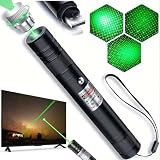
- 【High-Performance Beam】Our green laser pointer features a powerful laser that delivers a bright and focused beam. By rotating...
- 【Convenient Charging】Equipped with a Type-C charging port, our laser pointer has high power is easy to recharge. Simply...
- 【Versatile Applications】Our laser pointer is designed for a wide range of uses. Its powerful beam makes it perfect for outdoor...
- 【Durable Construction】Made from high-quality aluminum alloy, our laser pointer high power has a rugged and durable build. The...
- 【Safety First】Never shine the lazer pointer directly into the eyes of humans or animals, Always use responsibly.We recommend...

- 7 in 1 Modes: Scroll the gear to pick 5 red patterns(dots, smiles, mouse, stars, butterflies). The variety of patterns sparks...
- USB Direct Charging: No dry batteries needed! Unplug the back cover and plug into USB port (adapter/computer/car) to charge, about...
- Portable Design: With metal clip and anti-lost rope, compact size(4.25in long) make cat toy easily put into pockets. Play with...
- Interactive Cat Toy: Interactive play not only helps cats release energy through chasing, but also exercise the pet's body and...
- Ideal Gift: Stainless steel casing, 5 patterns, keep lonely cats happy and bond through daily play! It's the best gift for pets...
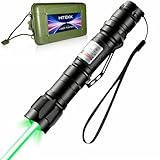
- POWERFUL GREEN BEAM: HiTekk's green laser pointer pierces the night sky with high visibility, with visibility up to 3300 ft.
- RECHARGEABLE, SINGLE PRESS ON/OFF: Charges with the included USB charger, no disposable batteries. One press on, one press off, no...
- PADDED CARRYING CASE: Protects the pointer from scratches and provides easy storage for accessories
- DURABLE: Built with a rugged cemented carbide body for enhanced strength, impact resistance, and long-term reliability.
- WATER RESISTANT: Designed for dependable use, the water-resistant construction helps protect internal components from light...

- [Unmissable Visibility in Any Setting]:Designed for clarity, the brilliant green beam cuts through ambient light, ensuring your...
- [Rugged and Durable]: The rugged brushed aluminum housing is both shock-resistant and waterproof, ensuring ultimate protection...
- [Convenient USB Rechargeable Design]:Built-in high-capacity battery recharges quickly via the included USB cable no need for...
- [Portable]: The laser and accessories are packed in a premium, padded carrying case for ultimate mobility and secure storage.
- [Caution]: Do not point the laser beam at your head and eyes and keep it out of reach of children.

- 【High-Performance Beam】Our green laser pointer features a powerful laser that delivers a bright and focused beam. By rotating...
- 【Convenient Charging】Equipped with a Type-C charging port, our laser pointer has high power is easy to recharge. Simply...
- 【Versatile Applications】Our laser pointer is designed for a wide range of uses. Its powerful beam makes it perfect for outdoor...
- 【Durable Construction】Made from high-quality aluminum alloy, our laser pointer high power has a rugged and durable build. The...
- 【Safety First】Never shine the lazer pointer directly into the eyes of humans or animals, Always use responsibly.We recommend...

- 【Versatile Functionality 】The device combines a high-performance green laser pointer, making it suitable for outdoor...
- 【Adjustable Brightness Levels 】 Enjoy three brightness settings (L3, L2, L1) to match your specific lighting needs. The unit...
- 【Rechargeable & Long-Lasting Battery 】Equipped with rechargeable battery, this laser pointer comes with a USB-C charging...
- 【Ultra-slim Portable Design 】Crafted from high-quality aluminum alloy with a matte finish, this sleek, easily in your pocket...
- 【Class 2 Laser product - Safety First】Never shine the lazer pointer directly into the eyes of humans or animals, Always use...

- Red Beam with Long Reach: Remove the crystal cap, red light flashlight provides a clear and focused beam that travels great...
- Easily Switch Between Two Modes: Adjust the light effect with a simple twist—use a single-point beam for precision or the starry...
- Convenient and Fast USB Charging: Featuring a built-in rechargeable battery, this flashlight charges easily via USB-A interface...
- Designed for Portability: Crafted with a solid aluminum body and an anti-slip texture, this flashlight is built for lightweight...
- Wide Applications: Whether for ghost hunting, tactical presentations, construction sites, outdoor adventures, hunting or...

- [Unmissable Visibility in Any Setting]:Designed for clarity, the brilliant Red beam cuts through ambient light, ensuring your...
- [Rugged and Durable]: The rugged brushed aluminum housing is both shock-resistant and waterproof, ensuring ultimate protection...
- [Convenient USB Rechargeable Design]:Built-in high-capacity battery recharges quickly via the included USB cable no need for...
- [Portable]: The laser and accessories are packed in a premium, padded carrying case for ultimate mobility and secure storage.
- [Caution]: Do not point the laser beam at your head and eyes and keep it out of reach of children.

- Presenter mode, built-in Class 2 red laser pointer for presentations, intuitive touch-keys for easy slideshow control. AAA...
- Bright red laser light - Easy to see against most backgrounds, works as a pointer clicker for presentation and clicker for...
- Up to 50-foot wireless range for freedom to move around the room
- There's no software to install. Just plug the receiver into a USB port to begin. This power point clicker wireless solution makes...
- 2.4GHz RF wireless technology, built-in docking bay stores receiver for easy pack up and portability; works well as a presenter...


- UNIVERSAL COMPATIBILITY The R500 is optimized to work with Windows, Mac OS, iOS, AndroidTM, and leading presentation software...
- 20-METER OPERATING RANGE1 Move and present freely from as far as 20 meters (65 ft) away. Perfect for medium to large-size rooms...
- LOGITECH PRESENTATION APP2 The R500 pairs with the powerful Logitech Presentation App so you can customize button functions...
- DUAL CONNECTIVITY Connect the R500 to your computer via USB receiver or Bluetooth low energy technology. A convenient, built-in...
- SMART BATTERY MANAGEMENT3 The R500 runs for 12 months on a single AAA battery. When your battery is low, the R500 goes into a...
- Presenter mode, built-in Class 2 red laser pointer for presentations, intuitive touch-keys for easy slideshow control. AAA...
- Bright red laser light - Easy to see against most backgrounds, works as a pointer clicker for presentation and clicker for...
- Up to 50-foot wireless range for freedom to move around the room
- There's no software to install. Just plug the receiver into a USB port to begin. This power point clicker wireless solution makes...
- 2.4GHz RF wireless technology, built-in docking bay stores receiver for easy pack up and portability; works well as a presenter...
Buying Guide to Select the Best Laser Pointer
Pointer and Presenter
Why do I need to buy a laser pointer/presenter? Of course, you could easily do without it: when you are in the lecture hall or in a meeting to present your work, you can go back to the PC whenever you need to change slides or hire another person to do it for you.
But considering the affordable price of these small accessories, why not be autonomous and make your presentation more modern and productive?
In the meantime, it is necessary to distinguish between pointer and presenter, since the two things do not always coincide. The tip is simply a jumbo pencil that emits a laser beam and is used to focus the audience’s attention on a particular point of the slide, a figure, a graph, a word, etc.
The projected colour is generally red or green: red is more suitable for light, white screens or even blackboards because it is more visible. Green is best suited for use on LED screens or PC monitors.
When used as a presenter, this small device acts as a real remote control and therefore does not just project a light beam. It is more convenient to choose a product that integrates these two functions into one: pointer and presenter.
Operation and Controls
So let’s see what the functions of a presenter are. In the meantime, you need to check that the model is compatible with your operating system: to tell the truth, modern models are practically universal. Still, it is always better to have a look at the specifications before buying it.
If used as a pointer, the product works by itself, but if you want to use it as a remote control, you must connect it to the computer: generally, there is a dongle, that is, a mini receiver to be connected to the USB port of your device.
Often these nano receivers, when not in use, can be stored inside the pointer itself, where there is a unique housing. In this way, you will not lose it, which is quite probable, given the tiny size.
Modern presenters are plug & play, that is, they connect to the PC, are immediately recognized and then work quickly, without downloading drivers and without complicated installation procedures.
The commands that are never missing are Page up and Page down to go back and forth with the presentation slides. By pressing these same buttons longer, other functions are also activated (often).
For example, the magnification of the screen or the blank screen, a useful command when you want the audience’s attention to be fixed on the speaker, not on the screen.
It should also be possible to raise/lower the volume and, in the best models, even to click and access hypertext content. Then check which and how many of these commands are present, and if among these, there are those you need.
Performance
The pointers/presenters are not all the same in terms of performance. Those of the best brand, for example, stand out for the greater distance between the transmitter and the receiver: sometimes 10 meters may be enough, but in large classrooms, it is better to focus on a model with a distance (without obstacles placed) of 50 or 100 meters.
These devices are battery-powered, and autonomy is another discriminant that could have a specific weight: the models that go into standby automatically help to safeguard their duration.
Compact and Simple to Use
The laser pointer produced by the electronics company Elekele stands out above all for its compact, handy and extremely functional design.
Its dimensions are approximately 13.9 cm in length by 1.8 in width and 1.5 in height. Its design is therefore essential, but at the same time, it adds a decidedly hi-tech touch thanks to the black colour of the body.
It weighs only 18 grams, and the long body with a quadrangular section guarantees a comfortable and secure grip.
Even the position of the keys is explicitly designed to offer maximum functionality and ease of use without exposing the risk of slowing down the rhythm of the presentations to look for the right button, an essential aspect, especially as regards the performance in the professional field.
Efficient and Functional
The keys allow control of the following functions: top, full screen, window contact, volume on-off and hyperlink.
The main body of the pointer also houses the small receiver to be extracted and connected to the computer, or laptop, via USB input. The remote control works via 2.4 GHz high-frequency radio signals, with an operating range of 100 meters.
It integrates a class 2 laser with a power of less than one milliWatt, with a wavelength of 650nm when in standby. The laser beam has a range of 200 meters, therefore redundant compared to the operating range allowed by the receiver, and the brightness produced is excellent.
Some buyers tend to point out that there is a slight loss of sharpness, depending on the distance and the ambient light, but these are small variations that affect only marginally on its overall yield.
How to Use a Laser Pointer?
Adjust the Power
In some models, it is advisable to pay particular attention to the distance from the surface on which you are going to project and to the type of pointer you have chosen.
Carefully check that all the components are assembled according to the diagram and try to see how the tip is identified once it is turned on.
You Know the Object
Having a tip also allows you to manage different viewing options, from slides to opening hyperlinks. A preliminary study on what a similar object allows can improve the approach to the medium, exploiting the various functions as needed.
Take Advantage of The Wireless Connection
The system that provides connectivity and that connects the device with a support such as a laptop or a projector moves along the direction of a wireless connection or thanks to a radio wave system. Having this mode available can improve the aiming and movement of the luminous circle on the screen.
Adjust the Brightness of The Room
In low light, the pointer can be more visible, thus allowing the user to be able to select and highlight different areas of the wall. We advise you to manage this aspect better so that you can follow the presentation and quickly locate the desired points.
Bet on Dual Use
In the case of multiple functionalities of the object, we suggest you choose and adapt the use according to the occasions.
In this way, you can take full advantage of what the product has to offer, both in the professional field and for convenient and punctual management of images on the screen.
Remove the Dongle
Once a presentation has ended, in the models that connect to the USB socket, it is advisable to remove the device and place it in the dedicated slot. Doing so puts everything inside the pointer, with a low probability of losing parts and components.
Place Everything in The Case
At the end of a slide and the presentation work, place the pointer in its case, soft or rigid. It will keep the object away from dust and other inconveniences that can happen when leaving a product of this type.


